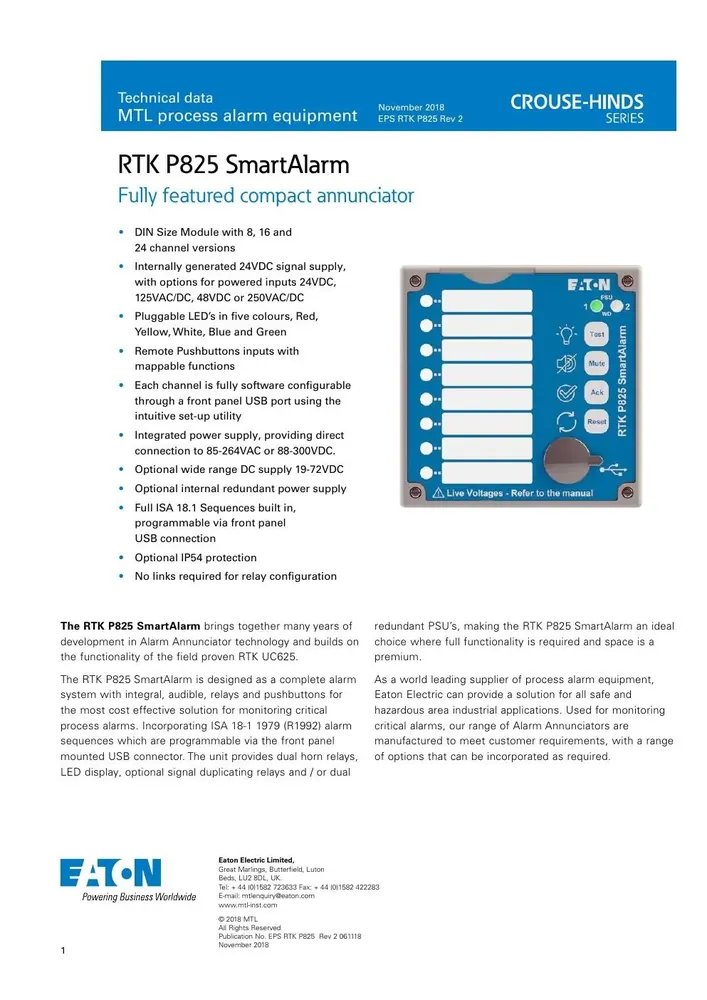
MTL RTK P825 SmartAlarm Annunciator
DIN-rail SmartAlarm annunciator. 8–32 channels, ISA 18.1 sequences, optional Modbus RTU. RFQ + selection help.
RFQ cart holds BOM lines only. Submit for engineering quote.
Key parameters
Fits DIN-rail process alarm annunciation where you need 8 to 32 channels, ISA 18.1 sequences, and optional Modbus RTU configuration.
Key advantages
- 8–32 channels — 8 / 16 / 24 / 32 channel versions.
- ISA 18.1 sequences — Standard process alarm sequence set.
- Optional Modbus RTU — RS485 plus USB configuration.
- DIN-rail SmartAlarm — LED / relay / pushbutton outputs per channel configuration.
Typical applications
- DIN-rail process alarm annunciation on control panels.
- Projects needing ISA 18.1 first-out / ringback style sequences.
- Systems that may add Modbus RTU / RS485 later.
Selection guide
- Function — DIN-rail SmartAlarm process alarm annunciator (MTL RTK P825).
- Channels — 8 / 16 / 24 / 32 channel versions (OEM catalog).
- Alarm sequences — ISA 18.1 alarm sequences.
- Communication — Optional Modbus RTU / RS485; USB configuration.
- Outputs — LEDs, relays, pushbuttons per channel configuration.
- Mounting — DIN-rail mounted annunciator.
- Order code — Confirm exact I/O, supply, and marks on the order code / instruction sheet.
Common mistakes
- Ordering channel count without mapping which points need relay vs LED-only.
- Assuming Modbus RTU is included — it is optional.
- Expecting panel-mount large mosaic style — this SKU is DIN-rail SmartAlarm.
- Skipping ISA 18.1 sequence selection (first-out, ringback, etc.) on the configuration sheet.
- Treating missing approvals in our catalog JSON as “no marks required” — confirm CE/area needs with the order code.
When to RFQ / what to tell us
- Channel count (8/16/24/32) and per-channel I/O (LED / relay / pushbutton).
- Required ISA 18.1 sequence set.
- Modbus RTU / RS485 and USB configuration need.
- Supply expectations from your panel standard (confirm on order code).
- Quantity, ship-to country, required marks.
Request a Quote · Get selection help
Specs
| Spec | Value |
|---|---|
| SKU | 48960 |
| Brand | MTL Instruments |
| Model | RTK P825 |
| Product type | annunciator |
| Function | DIN-rail SmartAlarm process alarm annunciator (MTL RTK P825) |
| Channels | 8 / 16 / 24 / 32 channel versions (OEM catalog) |
| Alarm sequences | ISA 18.1 alarm sequences |
| Communication | Optional Modbus RTU / RS485; USB configuration |
| Outputs | LEDs, relays, pushbuttons per channel configuration |
| Mounting | DIN-rail mounted annunciator |
| Notes | Eaton MTL P825 SmartAlarm. Confirm exact IO/comms options on order code / instruction sheet. |
Documents
FAQ
Q: How many channels? A: OEM catalog lists 8 / 16 / 24 / 32 channel versions. State the count in the RFQ.
Q: Which alarm sequences? A: ISA 18.1 sequences. Lock the sequence set on the configuration / order code.
Q: Is Modbus included? A: Optional Modbus RTU / RS485 plus USB configuration. Confirm on the order code.
Q: What should I send for a quote? A: Channel count, I/O map, sequences, protocol, marks, quantity. Available for MTL RTK P825 — we do not claim authorized-dealer status.
Links
| Parameter | Value |
|---|---|
| Communication | Optional Modbus RTU / RS485; USB configuration |
| Mounting | DIN-rail mounted annunciator |
| Notes | Eaton MTL P825 SmartAlarm. Confirm exact IO/comms options on order code / instruction sheet. |
| Function | DIN-rail SmartAlarm process alarm annunciator (MTL RTK P825) |
| Channels | 8 / 16 / 24 / 32 channel versions (OEM catalog) |
| Alarm Sequences | ISA 18.1 alarm sequences |
| Outputs | LEDs, relays, pushbuttons per channel configuration |